
Film in landscape format and make sure the entire performance is visible. Follow the instructions for your chosen class because camera position and filming requirements may vary.
Here, the judge won’t be able to see markers ahead of time and makes judging more difficult:

The landscape format allows the judge to see markers in good time & better judging of the test elements, such as circle dimensions:
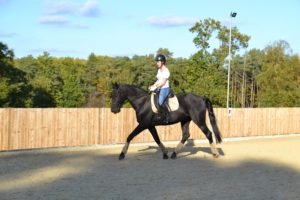
All are to be filmed from “Letter C” in a 40 x 20 or 60 x 20 arena, unless the camera position is specified otherwise on the specific testsheet.
Well, we know that this may be a challenge if you have no other person to film your performance for you. Generally, our riders will ask someone for help, but if there is absolutely nobody around try the following:
Set up the camera behind C (or the prescribed camera position) and check that the entire arena is visible. Press play for your video and start your test.
If you know how to crop a video, crop out the beginning that is showing you and your horse before starting the test, otherwise send us the entire video with a comment. Our technician will know what to do😇
No. EquiMind allows you to submit a video or photographs from home, so you can take part without travelling to a competition venue.
Of course😊 You can film your ride as many times as you wish…until you’ve captured your best ever ride! Remember: practice makes perfect.
You can send all your entries via the EquiMind sumbmissions page or our EquiMind WhatsApp Community. Please contact us to be added.
Since some videos will be almost 6 minutes long, the submissions page will ask you to send us a link from YouTube, Google Photos, Dropbox, or WeTransfer.
Sending a video with any of those providers is free!